Notifications
Clear all

Topic starter
10/03/2025 3:08 pm
I'm just starting out with Maya and feeling pretty overwhelmed. Does anyone know good tutorials that can help me learn the basics? I'd prefer free resources to start with, but I'm willing to pay for quality content as long as it's not super expensive. Any YouTube channels, videos, or courses you'd recommend? Thanks in advance!

10/03/2025 7:21 pm
Based on your question, I'm guessing you're just starting to learn the software itself rather than specific techniques.
For the basics, I highly recommend the official Maya Learning Channel on YouTube: https://youtube.com/playlist?list=PLD8E5717592CF5C26
Also check out Flipped Normals' intro to Maya. It's completely free and very comprehensive:
If you later decide to invest some money, Gnomon Workshop is excellent at $54/month. You get access to tutorials covering everything from basic interface to modeling, rigging, and animation: https://www.thegnomonworkshare.com/search?q=maya
Pro tip: Make sure you spend at least a month getting familiar with the software before subscribing to paid services like Gnomon or Skillshare. Otherwise, you'll waste time just trying to navigate the interface instead of learning the techniques.
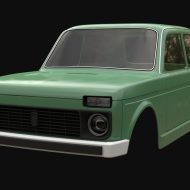
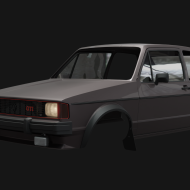
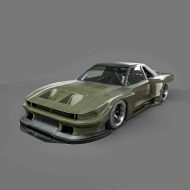
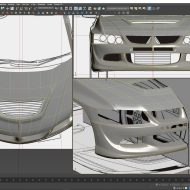
One more thing - tutorials always take longer than their runtime! When I started, I followed a 6-hour car modeling tutorial that took me nearly a month to complete, even though I knew the interface well. Patience is key!
ndem reacted

11/03/2025 8:19 am
Holly's Maya Tutorials channel is fantastic for beginners: https://youtube.com/@HollysMayaTutorials
Also check out NextTut: https://youtube.com/@Nexttut
They break down concepts really well and have playlists organized by skill level.

12/03/2025 3:27 pm
Why learn Maya when Blender is free? 😏

14/03/2025 11:46 am
Anyone else remember learning Maya with "Salty the Seal" back in version 1.0? Talk about old school! 😂


19/03/2025 8:52 am
1. Open browser
2. Go to Google
3. Type "Maya tutorial"
4. Click anything
5. ???
6. Profit!
Seriously though, there are thousands of tutorials. The question is too vague - what specifically do you want to do with Maya? Modeling? Rigging? Animation? VFX?
Topic starter
20/03/2025 12:46 pm
Thanks everyone for the suggestions! @HowardZes especially for the detailed breakdown. I'll start with the free resources first. Just to clarify, I'm mainly interested in character modeling to begin with, but eventually want to learn the whole pipeline.
@Spencerwitly - I need Maya specifically for job requirements, otherwise I'd consider Blender!

21/03/2025 10:50 am
For character modeling specifically, I'd recommend checking out Mike Hermes on YouTube. His topology explanations are top-notch.
Also, there's a misconception that you need to follow super complex tutorials right away. Start with simple objects - a table, a lamp, basic shapes. Get comfortable with the interface and tools before jumping into character work.
The learning curve for Maya is steep, but it's worth it once you get past the initial frustration. Don't give up!

01/04/2025 8:00 am
Something nobody mentioned yet - check your local library! Many public libraries now offer free access to LinkedIn Learning (formerly Lynda.com), which has excellent Maya courses. You just need a library card.
Also, Autodesk has official documentation that's surprisingly helpful: https://knowledge.autodesk.com/support/maya
Don't underestimate the power of Maya's built-in help feature (F1) - it's saved me countless times when I forget keyboard shortcuts or specific tool functions.